Clinic Administration
Users, roles, invite codes, and API tokens. Admin-only.
Roles
- Sonographer: creates and finalizes their own exams. Sees their own exams plus unclaimed exams created by the ultrasound machines.
- Admin: all of that, plus protocols, every exam in the clinic, users, and API tokens.
Managing users
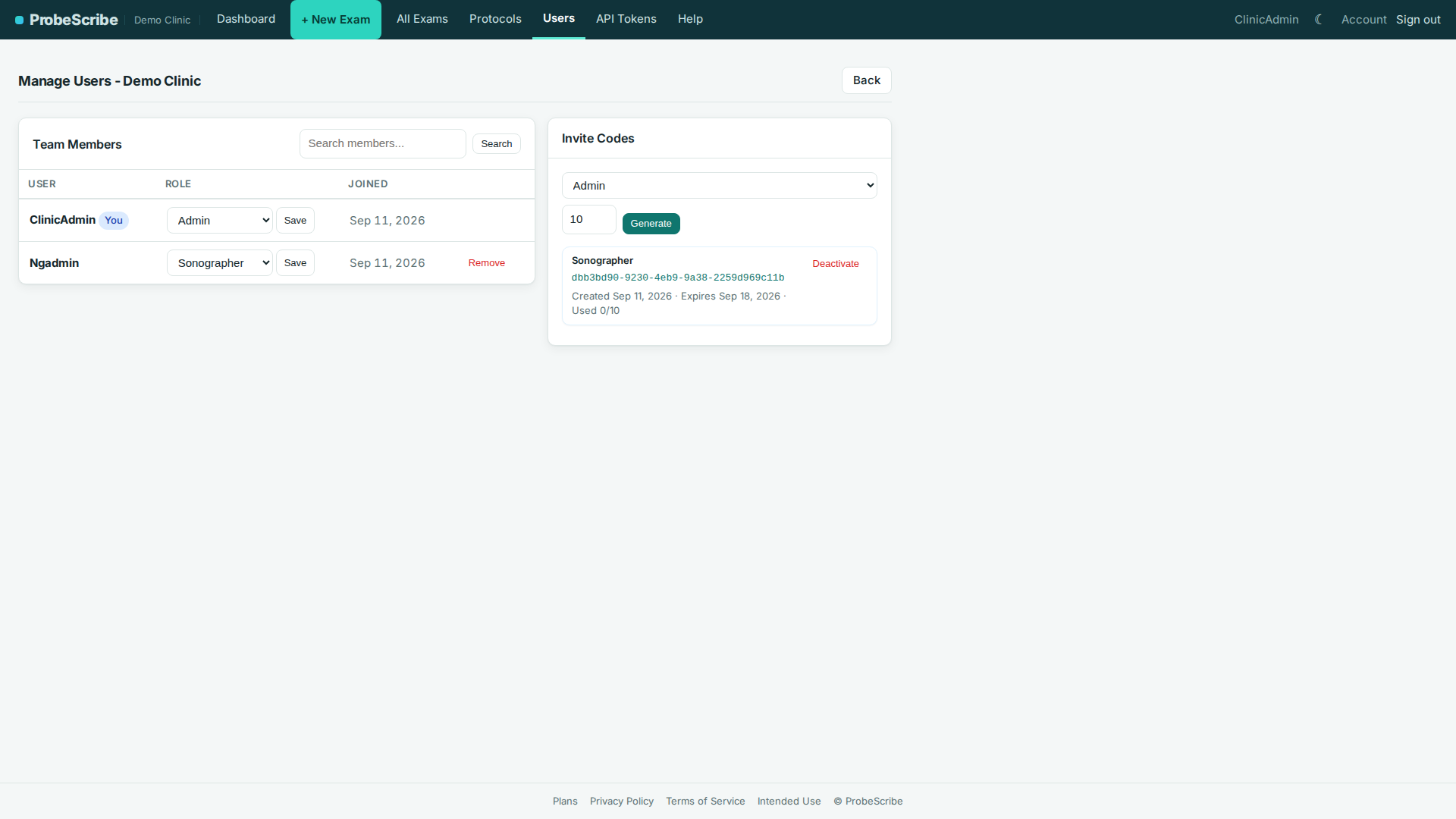
Open Users in the top bar.
- Team Members: change a role with the dropdown and Save. Remove drops the membership, not the account.
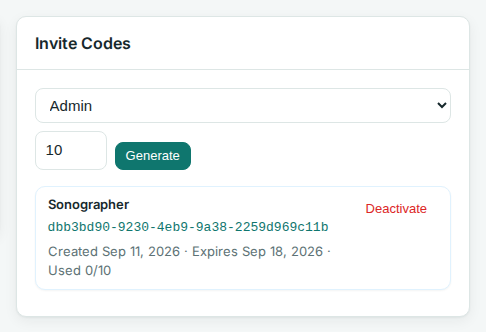
- Invite Codes: pick a role and max uses, click Generate, share the URL. New members sign up through it. Deactivate a code any time.
Note: you cannot remove your own admin membership while you're the only admin. Promote someone else first.
API tokens for integrations
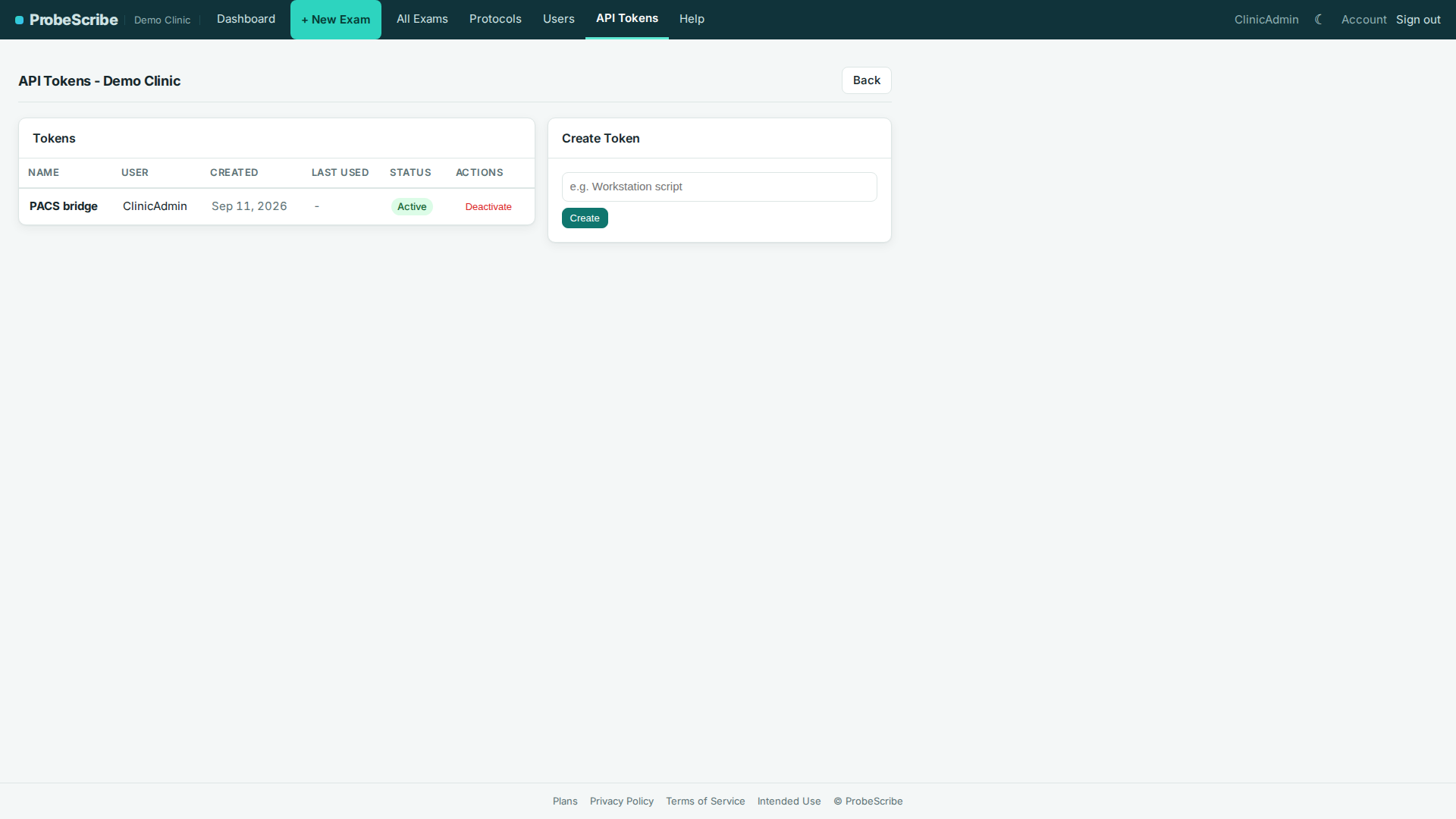
Open API Tokens in the top bar. Tokens let other software read or write exam data.
- Click Create, label the token, copy it once. It cannot be shown again. Lost it? Revoke and re-create.
- A token is tied to its creator. If that user is removed or demoted, the token loses access.
- Check Last used before revoking.
Connecting ultrasound machines
Open Integrations in the top bar. Measurements sent by a connected machine land in the exam form as values the sonographer confirms instead of types.
- Overview: connect a clinic (the preconfigured bridge
download, when available, or the manual steps), then each machine's
last-received time, counts, and bridge version. On the ultrasound
machine, the destination is AE title
PROBESCRIBE, port11112, and the IP address of the Windows computer where the bridge was installed (runipconfigin a command prompt on that computer to see it). - Mapping: when a study matched no protocol or a measurement code matched no concept, it waits here. Match it once and the waiting events are re-processed; the mapping applies to everything that arrives later. You can also add a routing rule in advance under Routing rules; matching is exact, so the value must be exactly what the machine sends. A study that matches no rule still appears in the list above, so nothing is lost. Remove a rule and studies matching it wait in that list again. Matched a code to the wrong concept? Under Measurement concepts, expand its code count and remove the mapping; the code waits in the list again the next time it arrives.
- Activity: the event log, filterable by accession and status, showing what each report carried and where it went. Each row still holding what the machine sent has Process again, which re-runs it -- useful after removing a wrong mapping.
Ingestion uses its own token kind, created on the API Tokens page. Revoking a clinic's ingestion token stops every machine sending through it.
Tip: if a sonographer is locked out of an exam they need to amend, unlock it yourself from its report screen.
Intended use and limitations.
ProbeScribe is a structured-reporting aid for sonographer
worksheets and radiologist drafts. It is not a diagnostic device and is
not intended for primary image interpretation. The radiologist retains
full clinical responsibility for reviewing measurements and findings
against the source images. See the
full intended use statement.