Uploading the Sonographer Worksheet to PACS
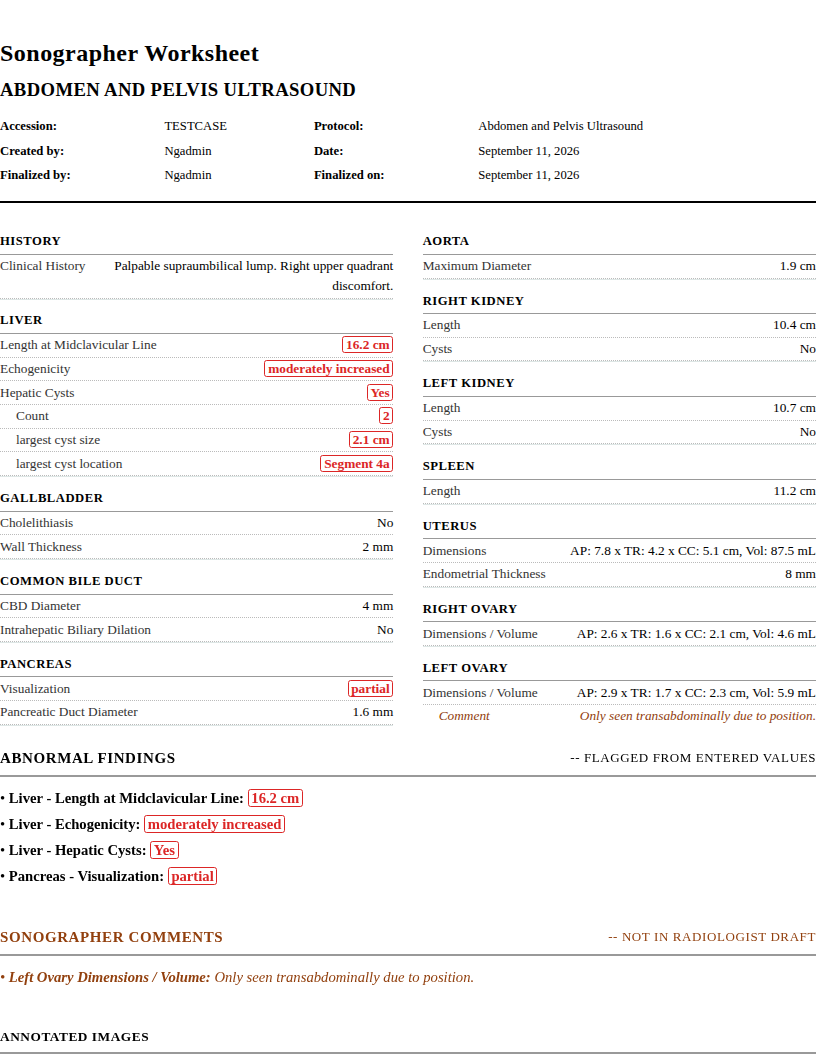
Download the worksheet PDF. Attach it to the study in your PACS.
Step 1
Download the worksheet PDF
On the report screen, click Generate PDF. Print gives a paper copy instead. If the worksheet is not finalized yet, either button first shows a prompt offering to finalize it or continue without. Upload the PDF when you can; scan only if your workflow needs paper.

Step 2
Attach the PDF in your PACS
Open the patient's study. Use the document upload or attachment feature. Select the PDF.
| PACS | How to attach |
|---|---|
| GE Centricity | Document Manager on the study |
| Fujifilm Synapse | Drag-and-drop into the Documents pane (PowerJacket) |
| Sectra IDS7 | Import via the information window, or Sectra VNA XDS repository |
| Philips IntelliSpace | Study document management interface |
| Change Healthcare | Upload to the XDS Document Repository |
| Ambra Health | Web portal or Ambra Gateway (auto-converts to DICOM) |
| Visage 7 | Attachment interface on the study |
| Intelerad InteleOne | Consolidated study interface |
Don't see your PACS? Look for "Document Upload", "Attach File", or "Import"
on the study. Most PACS accept PDFs. Ask your PACS administrator if you can't find it.
DICOM encapsulation: some facilities wrap PDFs as DICOM objects through a
gateway. If yours does, the upload is automatic. Check with your PACS administrator.
Intended use and limitations.
ProbeScribe is a structured-reporting aid for sonographer
worksheets and radiologist drafts. It is not a diagnostic device and is
not intended for primary image interpretation. The radiologist retains
full clinical responsibility for reviewing measurements and findings
against the source images. See the
full intended use statement.