Using ProbeScribe with Velox
Two steps after each exam: paste the draft, upload the worksheet.
Tip: a clinic admin can set the reporting system to Velox and save your clinic's Velox address on the Account page in ProbeScribe. Once set, the report screen shows an Open in Velox button that opens the study for the exam's accession directly, replacing the "open the patient's study" step in both steps below. The button first shows the exam's accession number for you to confirm; check it against the requisition, and after Velox opens verify the patient shown is the correct patient before pasting or uploading anything. ProbeScribe stores no patient identity, so it cannot make this check for you.
On the ProbeScribe report screen, click Copy Radiologist Draft. Use the text copy, not the PDF.

Then, in Velox:
- Open the patient's study.
-
Create a blank electronic report.
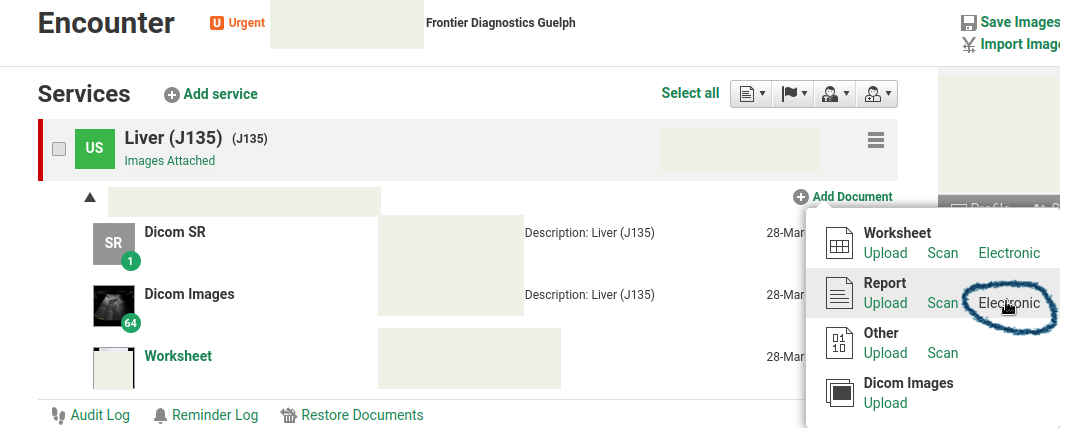
Click Add Document, then Report > Electronic. 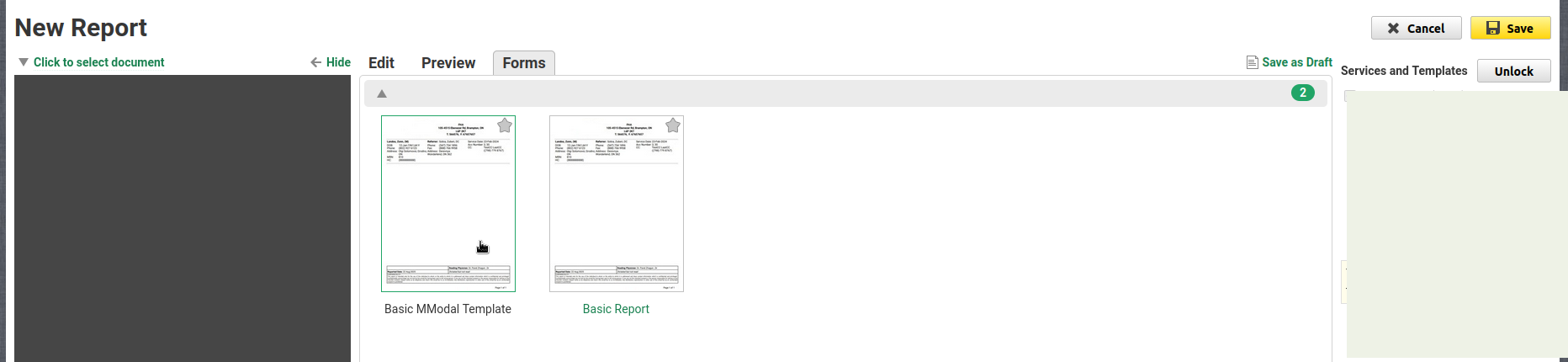
Choose a blank template (e.g. Basic Report). -
Paste the draft. Save.
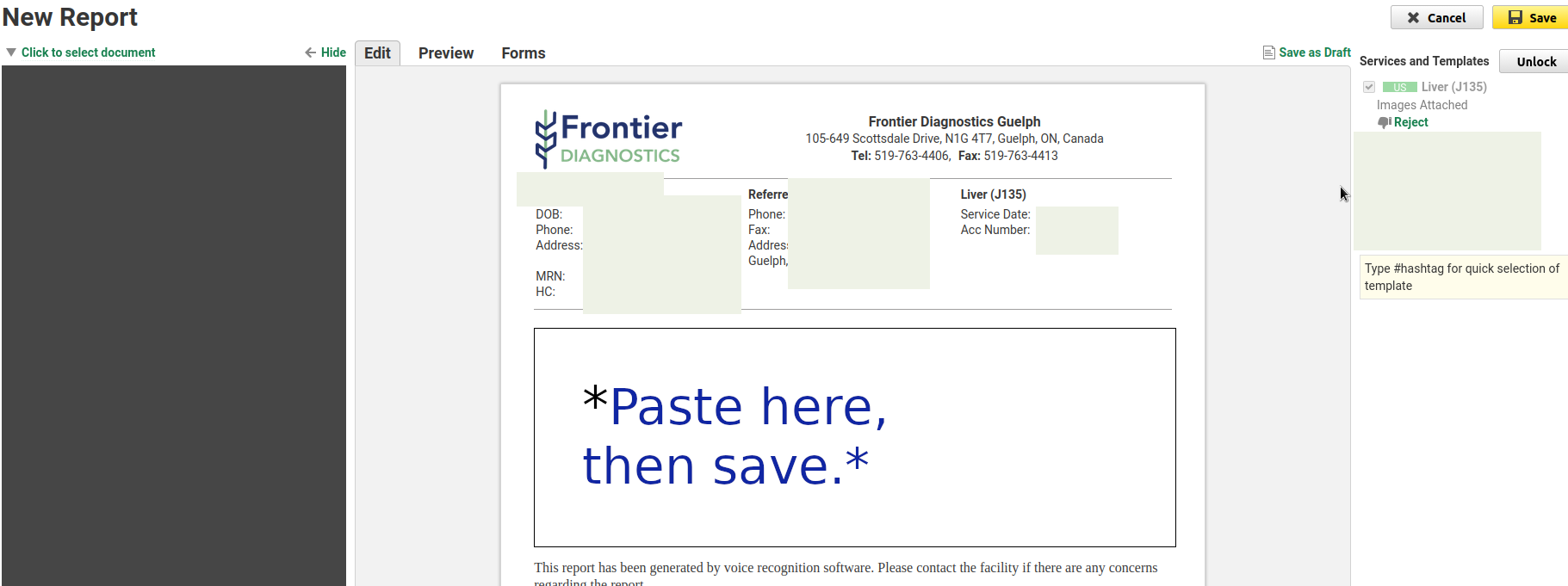
Paste into the body, then click Save.
In ProbeScribe, click Generate PDF to download the worksheet. If the worksheet is not finalized yet, a prompt first offers to finalize it or continue without. Upload beats scanning; scan only if your workflow needs paper.

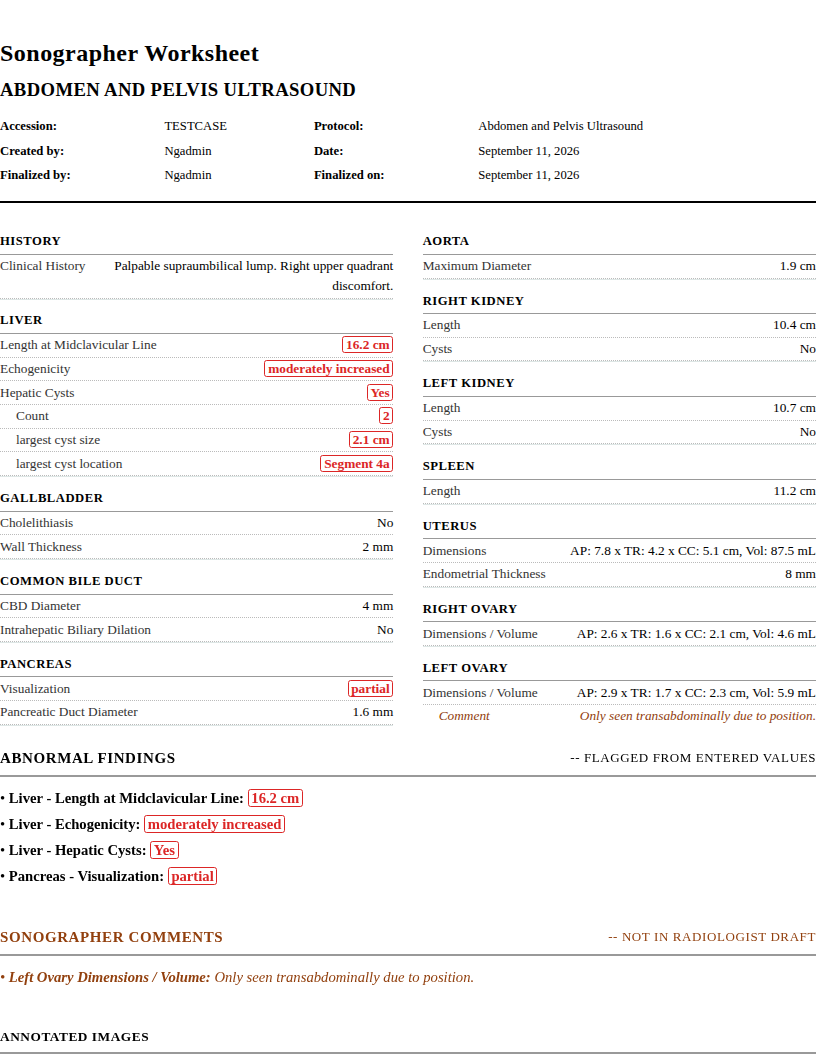
Then, in Velox:
- Open the patient's study.
-
Upload the PDF (or scan the printout).
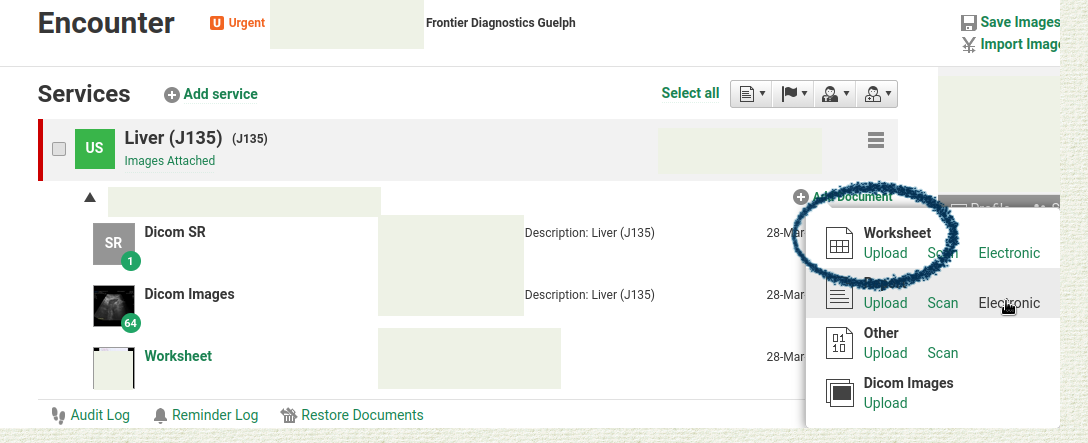
Click Add Document, then Worksheet. - Confirm it landed on the correct study.