Sonographer Exam Workflow
One exam, start to finish.
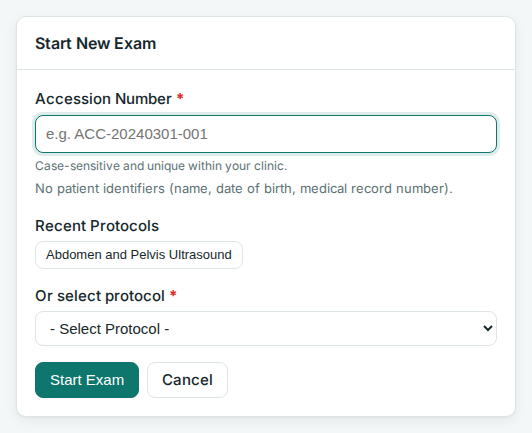
Click + New Exam. Enter the accession number, pick a protocol, confirm.
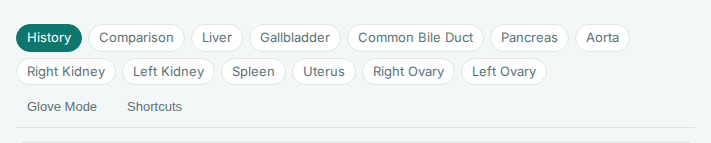
The form is split by structure (Liver, Right Kidney, ...). The radiologist draft re-renders on every save.
- Chips at the top jump between structures.
- Click a structure header to collapse it. Required fields inside still block save.
- Sub-fields appear when needed (Cysts → Yes reveals Count and Size).
- Auto-save runs about 30 seconds after your last change.
- Save & Generate Draft refreshes the draft right away.
- Values flagged abnormal highlight in red. The Abnormal Findings card above the draft lists them as you go; it stays hidden while the study is clean.

The Sonographer comment drawer under each finding never reaches the radiologist draft. It appears on the worksheet only: inline under its finding, and again in the Sonographer Comments card as an at-a-glance list. The Study comments box at the end of the form works the same way for the study as a whole, for example to note a technically difficult or limited study and why; it leads that card.
When a connected ultrasound machine sends its measurements, the exam can already exist with numbers filled in before you open it. Machine-created exams show a From machine badge on All Exams and are visible to every sonographer until someone starts one; your first save or confirmation makes it yours.
- Every machine-filled field carries an amber Machine - confirm chip. Check the number, then click the chip to confirm it. Correcting the value confirms it too, because fixing a number is reviewing it.
- Confirmed chips become a quiet grey Machine ✓ tag, so where a number came from stays visible.
- A progress line above the form counts confirmed machine values. Click it to jump to the next unconfirmed one.
- Finalize is blocked while any machine value that appears in the report is unconfirmed. Values hidden by a condition do not block.
- If the machine sends more measurements after you started, a banner lists each incoming value beside what the field holds now, with Apply and Dismiss per row. Nothing is overwritten unless you choose it.
A hand-entered exam is unchanged: no chips, no gate, nothing new.
The Reference Images & Annotations panel sits below the form. It starts collapsed. Click Show or press Alt+R.
- Draw on the protocol's reference images with the Pen tool.
- + Add Canvas gives a blank canvas for a quick sketch.
- Sketches save with the exam and print on the worksheet.
- View Draft opens the report screen: the draft as the radiologist will see it.
- Finalize Worksheet locks the exam against edits.
- Unlock reverses it. You can unlock your own exams; admins can unlock any.

Finalizing only locks the data. To move the outputs, see Pasting the Radiologist Draft and Uploading the Sonographer Worksheet to PACS.
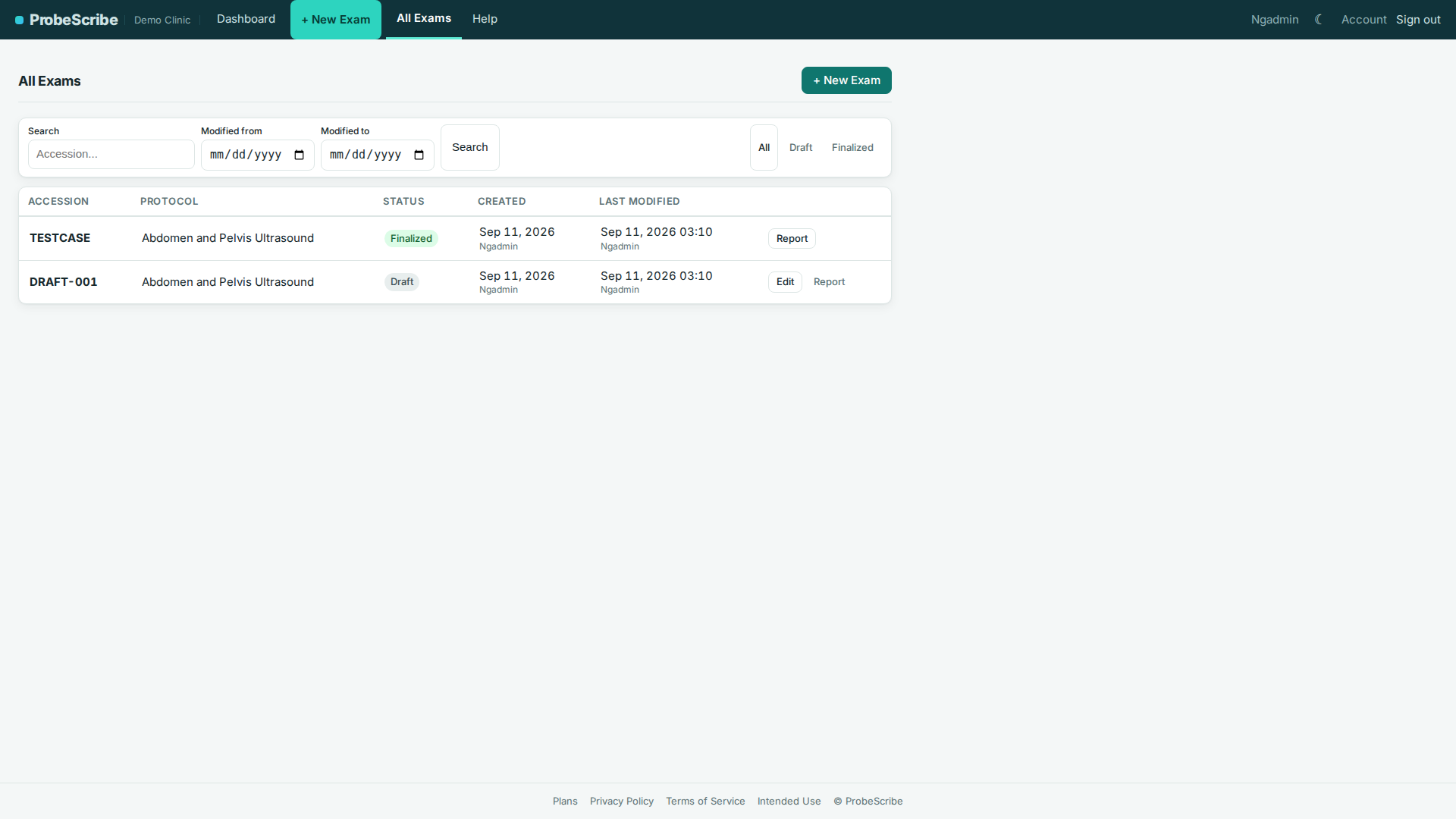
Open All Exams in the top bar. Sonographers see their own exams plus unclaimed machine-created exams; admins see the whole clinic. Filter by status, protocol, sonographer, or date.